
Benefits of Motion Sensor Security Lighting for Homes
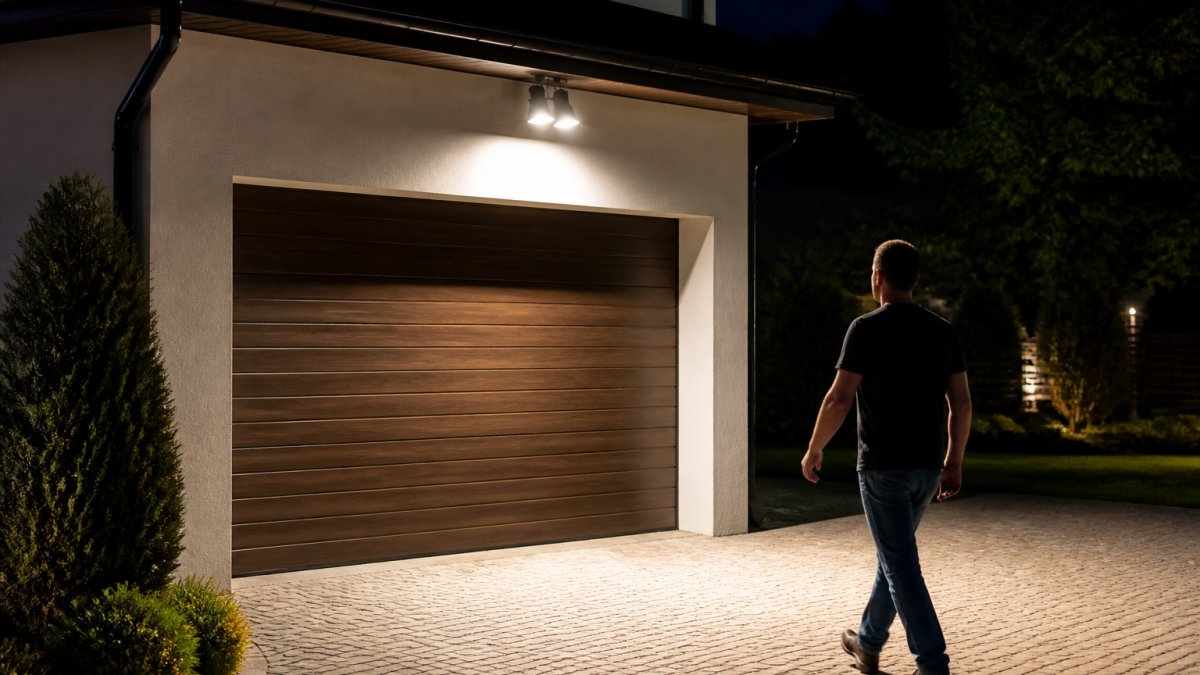
Table of Contents
- Why Motion Sensor Security Lighting Belongs on Every Home
- Deterrence and Home Safety: What Motion Detection Actually Changes
- Motion Sensor Light Energy Use: LED Efficiency and Utility Bill Reduction
- Where to Place Motion Sensor Lights for Full Coverage
- Outdoor Lighting Color Temperature: Choosing the Right Kelvin for Security
- Motion Sensor Security Light Drawbacks and How to Manage Them
- Smart Home Integration and Maintenance for Long-Term Performance
- Frequently Asked Questions
Last Updated: October 6, 2026
Why Motion Sensor Security Lighting Belongs on Every Home
Motion sensor security lighting is outdoor lighting that switches on automatically when a passive infrared sensor detects movement, then turns off after a set time delay. The benefits of motion sensor security lighting for homes come down to three things: intruder deterrence, safer nighttime visibility, and lower energy consumption than lights left burning all night.
At Paramount Outdoor Lighting Group, we install low-voltage systems across the Chicagoland area.
A light that responds to movement does two jobs: it startles anyone who should not be there, and it lights your path when you need one.
Deterrence and Home Safety: What Motion Detection Actually Changes
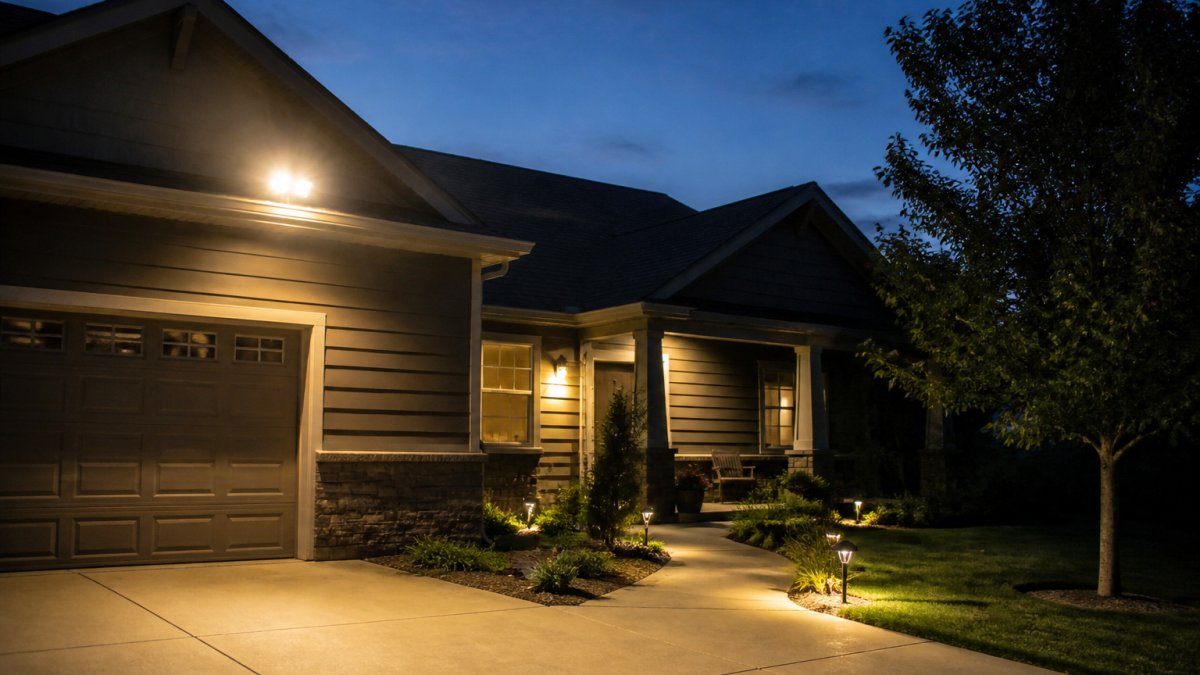
A sudden flood of light removes the intruder's main advantage: darkness. Most residential burglars expect to work unseen, and a light that snaps on the moment they cross the yard takes that away.
The safety half matters just as much, and it is the part homeowners underestimate.
Nighttime Visibility and Fall Prevention Around Entryways
Steps, uneven pavers, and slick walkways cause many home injuries after dark. Motion-activated lighting solves this without leaving fixtures on all evening.
- Entryways: A fixture above the door lights the threshold and the first two steps.
- Side yards: Low-level pathway lighting removes trip hazards on uneven ground.
- Decks and patios: Step lights at each level change prevent missteps after dark.
For older adults, this matters more than deterrence. A fixture at the top and bottom of a stair run costs little and prevents a fall that ends in a hospital visit.
Motion Sensor Light Energy Use: LED Efficiency and Utility Bill Reduction
Motion sensor light energy use is far lower than a fixture left on all night, because the light runs only when something moves. An LED floodlight drawing 15 to 20 watts for 20 minutes a night uses a fraction of the power of a 100-watt bulb burning eight hours.
That gap is where utility bill reduction comes from. The sensor itself saves no power; the savings come from run time.
Lumen Output, Voltage Requirements, and Real Energy Consumption
Here is what to check before you buy:
| Spec | What to Look For | Why It Matters |
|---|---|---|
| Lumen output | 700-1,300 lumens for entryways | Bright enough to see, not blinding |
| Wattage | 15-30W LED | Direct driver of energy consumption |
| Voltage | Low-voltage (12V) or line-voltage (120V) | Determines transformer needs |
| IP rating | IP65 or higher | Weatherproofing for outdoor exposure |
| Detection range | 30-70 feet | Matches your yard size |
LED efficiency is the other half. A modern LED fixture produces the same light as an old halogen unit while drawing roughly a fifth of the wattage. Combined with sensor control, the utility bill reduction becomes noticeable over a year, especially with several fixtures.
Where to Place Motion Sensor Lights for Full Coverage
Where to place motion sensor lights depends on what you are protecting. The goal is a layered perimeter: detection at the outer edge, illumination along the path, and bright light at every entry.
Driveways, Pathways, and the Security Perimeter
- Driveway: Mount a floodlight at the garage corner, aimed across the apron. This catches vehicles and anyone approaching on foot.
- Pathways: Use lower fixtures with a narrower field of view so passing cars and animals do not trigger them.
- Entry doors: One fixture above each door, aimed slightly downward.
Outdoor Lighting Color Temperature: Choosing the Right Kelvin for Security
Color temperature is the spec homeowners notice last and regret first.
For security lighting, 3000K to 4000K is the practical range. That is bright white light with enough warmth to avoid the harsh, clinical look of higher Kelvin ratings.
Here is how the scale breaks down:
- 2700K: Warm, amber tone. Best for patio ambiance, too dim-feeling for security.
- 3000K: Soft white. A good middle ground for entryways and pathways.
- 4000K: Cool white. Maximum clarity for driveways and security perimeters.
Many homeowners find 4000K at the driveway and 3000K at the front door gives the best balance. Consistency matters too. Mixing color temperatures across the same facade looks accidental.
Light Pollution, Neighbor Etiquette, and Local Rules
A motion-activated floodlight aimed across a property line can throw glare into a neighbor's bedroom window every time a car passes, the fastest way to turn a security upgrade into a dispute.
A few practical rules of thumb:
- Aim the fixture down, not out. A 25- to 35-degree downward tilt keeps the light pool on your own ground and off neighboring walls.
- Use shielded or full-cutoff fixtures. These direct light below the horizontal plane, which is the same principle behind dark-sky-friendly outdoor lighting guidance.
- Keep the sensor's field of view inside your property. A sensor that watches the sidewalk or the street will trigger on every passerby and every vehicle.
Matching Color Temperature to the Job
Color temperature also changes how quickly your eye resolves detail at night:
- Entryways and porches: 3000K. Warm enough to look residential, bright enough to read a face at the door.
- Driveways and side yards: 4000K. Cooler light improves contrast on pavement and gravel, which helps cameras and the human eye alike.
- Pathways: 2700K to 3000K at low output. You want the path visible, not the whole yard lit.
If you run security cameras, match lighting color temperature to what the camera handles well. Most consumer cameras render 4000K footage with better color accuracy than 2700K, which matters when identifying a person or vehicle after the fact. Clearer visual identification remains only one layer of a comprehensive defense strategy, which is further bolstered by the physical barrier provided by heavy duty security screens.
Motion Sensor Security Light Drawbacks and How to Manage Them
Motion sensor security light drawbacks are real. The three common complaints are false triggers, short bulb life in cheap fixtures, and sensors that stop responding after a season or two.
False Triggers, Sensitivity Adjustment, and Time Delay Settings
False triggers are the top frustration. A fixture that fires every time a cat crosses the yard or wind moves a shrub trains homeowners to ignore it, defeating the purpose.
- Sensitivity adjustment: Turn it down until only people-sized movement triggers the sensor. Most fixtures have a dial.
- Time delay: Set it to 1-3 minutes. Too short and the light cuts out while you are still walking; too long and you waste energy.
- Lux settings: This controls how dark it must be before the sensor activates. Set it so the light does not fire at dusk.
Maintenance is the other side. Wipe the sensor lens twice a year, check wiring each fall, and replace any fixture showing flickering or delayed response. Most failures trace to moisture in a poorly sealed housing, which is why IP rating matters more than brand.
Smart Home Integration and Maintenance for Long-Term Performance
Smart home integration turns a standalone sensor light into part of a system. Many modern fixtures connect to Wi-Fi or a hub, letting you schedule on/off times, adjust sensitivity from a phone, and link lighting to cameras or doorbells.
That last point is the one worth paying for. When a motion sensor triggers a camera and a light at the same time, you get a clear recording instead of a dark, grainy clip.
Building a Unified Security Response
The real value of integration is choreography, not remote control. A well-built system responds to one trigger with coordinated actions:
- Light + camera: The fixture illuminates the field of view at the same moment the camera begins recording, so the clip is usable instead of black.
- Light + alarm: A sensor trip can arm a perimeter zone, sound a chime, or send a push notification, depending on how the hub is configured.
- Light + doorbell: A person approaching the front door triggers the entry light before they reach the bell, which is both a deterrent and a convenience.
A few practical cautions:
- Check the protocol. Wi-Fi fixtures are simple but can clog a home network. Zigbee, Z-Wave, and Thread fixtures need a hub but respond faster and more reliably in a multi-device system.
- Watch for cloud dependency. A fixture that only works through a manufacturer's app stops working if that service shuts down. Local control through a hub is more durable.
- Keep security cameras and lights on separate circuits where possible. A single tripped breaker should not blind your entire perimeter.
Troubleshooting False Triggers Before You Replace Anything
False triggers are the top reason homeowners give up on motion lighting. Before replacing a fixture, work through the causes in order:
- Heat sources in the field of view. PIR sensors detect infrared energy, so an air conditioner condenser, dryer vent, or HVAC exhaust will trip them repeatedly. Reposition the fixture or the sensor head.
- Reflected sunlight. A sensor facing east or west can fire at sunrise or sunset when low sun reflects off a car or window. Adjust the lux setting so the fixture only activates in genuine darkness.
- Moving vegetation. A shrub or tree branch in the detection zone will trigger the sensor on windy nights. Trim it back or narrow the field of view.
- Pets and small animals. Lower the sensitivity dial until only people-sized movement trips the sensor, or raise the mounting height so the detection cone starts above pet level.
- Passing traffic. A sensor aimed at the street will fire on every car. Aim it down and inward, away from the road.
- Failing sensor or moisture ingress. If the fixture triggers in calm, dark, still conditions with nothing in the zone, the sensor housing has likely taken on water. Check the IP rating and the seal.
A Maintenance Schedule That Actually Prevents Failures
Most motion light failures trace to moisture in a poorly sealed housing, which is why IP rating matters more than brand. A simple annual rhythm catches the rest:
- Spring: Clean the sensor lens with a soft cloth and mild soap. Dust, pollen, and spiderwebs all degrade detection range.
- Spring: Test every sensor by walking through its field of view at the edge of the detection zone.
- Summer: Trim vegetation back from the detection zone before it grows into the sensor's line of sight.
Component-level replacement is the other half of long-term performance. On most fixtures the sensor head, LED module, and photocell are separate parts. Replacing a failed sensor head costs a fraction of a new fixture and keeps existing wiring and mounting intact.
The homes that get the most from motion lighting are not the ones with the most fixtures. They are the ones with sensors aimed correctly, sensitivity dialed in, a maintenance check once a year, and a system where the light, the camera, and the alarm all respond to the same trigger.
Frequently Asked Questions
Do motion sensor lights raise the electric bill?
Motion sensor lighting typically uses less energy than lights left on all night because they only activate when movement is detected. A 15-watt LED floodlight running 30 minutes per night uses roughly 0.0075 kWh daily. Even with frequent triggers, motion sensor light energy use stays low compared to a 100-watt bulb burning for eight hours. Pairing sensors with LED fixtures and adjustable time delay settings keeps utility bill reduction predictable.
Where is the best place to put a motion sensor?
Mount sensors at entry points first: front doors, side gates, and garage corners. Aim the detection range across the approach path, not straight out, so someone walking up triggers the light before reaching the door. For where to place motion sensor lights along a security perimeter, position them 6 to 10 feet high with the field of view covering pathways, driveways, and dark side yards. Avoid aiming at roads or sidewalks to reduce false triggers from passing cars.
What are the downsides of using motion sensor lights?
Common motion sensor security light drawbacks include false triggers from animals, tree branches, or car headlights; limited coverage if the field of view is blocked; and bulbs that cycle on and off in busy areas. Sensitivity adjustment and time delay settings solve most of these issues. Some units also lack dusk-to-dawn capability, so they may activate in daylight unless you set the lux settings correctly. Proper placement and weatherproofing reduce long-term problems.
Do motion sensor lights deter burglars?
Motion-activated lighting creates sudden, unpredictable illumination that interrupts an intruder's approach. Research on home security consistently shows that well-lit exteriors are less attractive targets. Combining motion sensor security lighting with consistent nighttime coverage at entry points, plus a mix of dusk-to-dawn pathway lighting, gives the strongest intruder deterrence. Lights that stay on briefly after triggering also signal that someone may be home or watching.